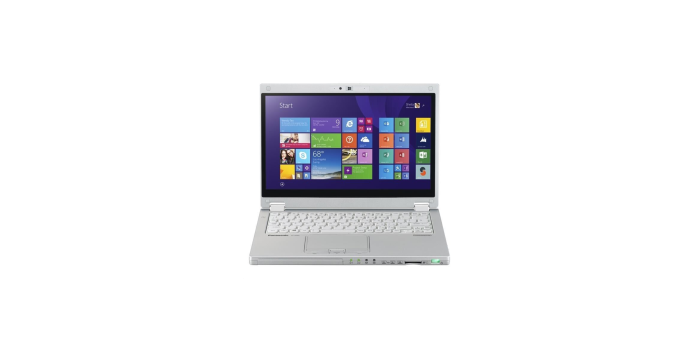

A refurbished toughbook listing can describe both a computer’s original design and work performed before resale. Those are two different kinds of information. A careful purchase connects the original model specifications with written details about the particular unit’s condition, installed hardware, and support terms.
The word “refurbished” should begin the questions rather than end them. Ask what was checked, which components were replaced, and what the seller will do if the delivered machine does not match the description. Those answers are more useful than a broad promise that every preowned device is equivalent to a new one.
Request a Description of the Actual Unit
Begin with the full model identification and configuration. Ask for the processor details, installed memory, storage, operating system, and included accessories. If the listing allows upgrades, have the final selected configuration written into the order.
Next, clarify whether photographs show the specific computer or a representative example. Either type can be useful when identified correctly. For a particular unit, request clear views of the screen, keyboard, case, hinges, ports, and battery area where practical.
Treat a cosmetic grade as a starting point for questions. Ask the seller to define the grade and identify the wear permitted under that description. A label such as Grade A or Grade B does not answer every question about screen marks, missing covers, keyboard wear, or battery condition.
Keep appearance and function as separate checks. A scratched case does not itself establish how the machine performs, and a clean exterior does not establish battery capacity or port function. Request the relevant evidence for each issue instead of allowing one favorable detail to stand in for the whole condition report.
Ask What Testing and Battery Information Are Available
A useful refurbishment description names the checks performed. Ask about the keyboard, display, storage, memory, charging, wireless connections, and required physical ports. If touch or pen input is part of the proposed configuration, include those functions in the questions.
Battery evidence deserves its own discussion. Ask whether the battery is new or previously used, how its condition was assessed, and whether any minimum capacity is promised. Request the terms in writing rather than assuming that “tested” means a particular level of remaining capacity.
A battery report and a workload trial answer different questions. The report can describe information available from the system, while a practical trial shows how the delivered setup behaves during the intended work. Plan to assess the computer with the applications and settings that matter to the job.
Also confirm which charger is supplied and whether it is appropriate for that configuration. If spare batteries or a docking arrangement are required, identify them before purchasing. An incomplete power setup can make an otherwise suitable computer difficult to put into service.
Keep Original Specifications Separate From Current Condition
Manufacturer documentation helps establish what a model was designed and tested to do. It should not be treated as an inspection report for an individual preowned machine. Ask the seller separately about the condition of covers, closures, connectors, and other parts relevant to the planned use.
Avoid extending a rating from one model to another. Panasonic’s published information distinguishes protection ratings among TOUGHBOOK models, making the exact identification important. Match the original documentation to the proposed unit before using it in a purchasing decision.
Do not perform improvised drop or water tests to check a purchase. Use ordinary functional checks and request appropriate documentation for any environmental requirement. If the job depends on a particular level of protection, resolve that requirement with the supplier before committing.
Software readiness is another separate issue. Ask IT to confirm that the proposed hardware and operating system meet application and management requirements. Locate the relevant manufacturer support resources, and clarify software licensing rather than assuming that an installed operating system settles every deployment question.
Read the Terms and Plan the Arrival Check
Before paying, request the warranty and return terms that apply to the exact order. Confirm who handles a claim, what is covered, which exclusions apply, and how return shipping is handled. Battery coverage and accessory coverage deserve explicit answers rather than an assumption that they match the computer’s coverage.
Set aside time to inspect the delivery within the applicable return period. Keep the packaging and order documentation available while checking the machine. A simple acceptance list helps the team distinguish a missing item from a setup question or a functional problem.
- Compare the delivered model and installed configuration with the order.
- Check the case, screen, keyboard, closures, and included accessories.
- Test charging and the ports and wireless connections required for work.
- Run the intended applications and connect the actual peripherals.
- Record any discrepancy and contact the seller through the stated support process.
Choose a refurbished toughbook based on documented condition and suitability for the work, with unanswered questions resolved before purchase. When reviewing an offer from Tough Rugged Laptops, request a written configuration, battery information, and the applicable service terms together. Keep those records through delivery so the decision rests on what was promised and what was actually received.